A new way to engage leads and customers
Engage prospects and customers with push notifications for real-time follow-up
HOW it works
Experience the Power of Push Notifications.
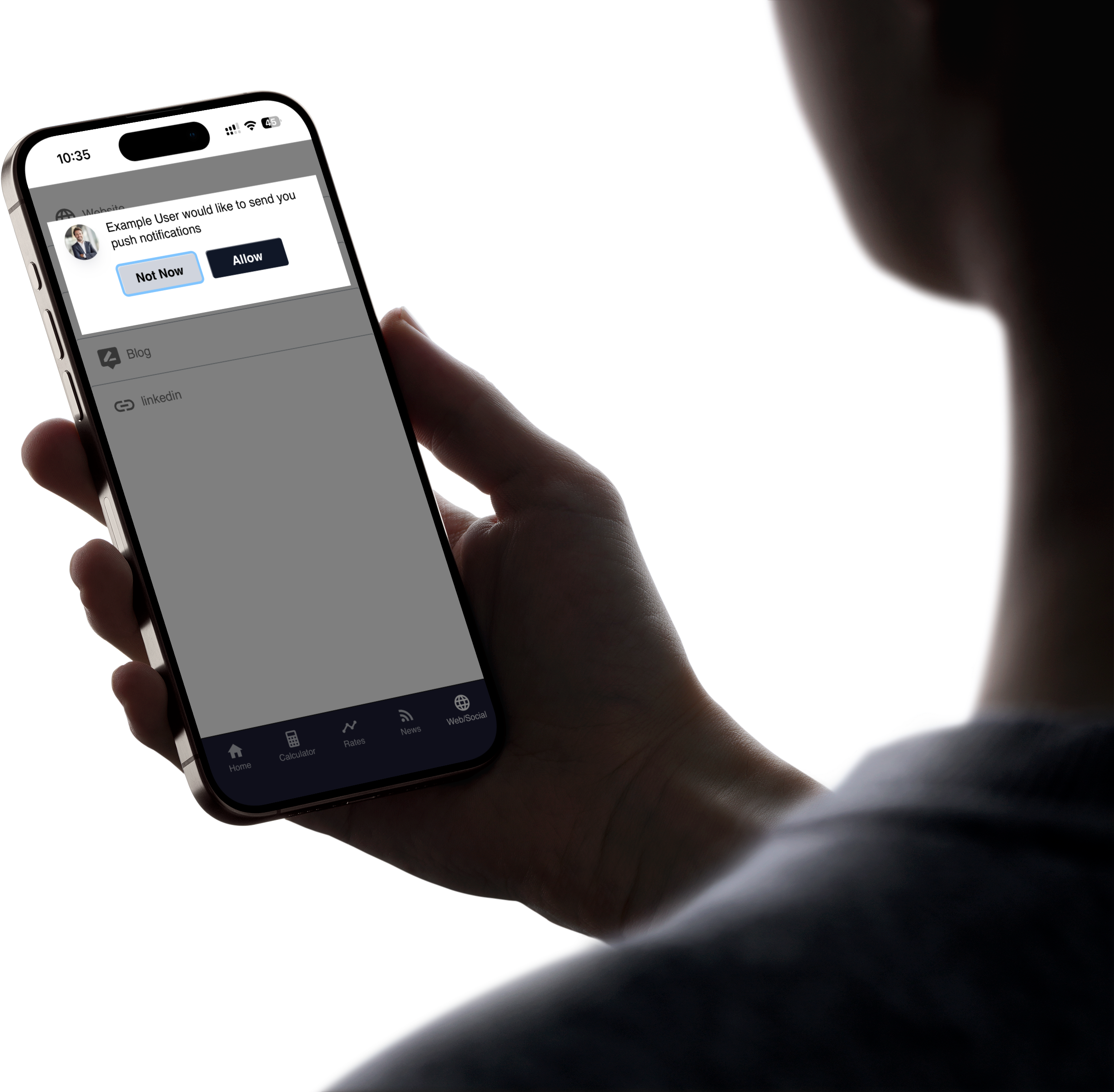
Users opt in to push notifications.
Anyone who installs your app will be prompted to allow push notifications. If they tap “Allow,” they can receive any push notifications you send.
When do people that just installed my app get prompted?
People who recently installed your app are not prompted on the initial load screen but rather programmatically once they have taken multiple actions on your app to reduce any scenario that could result in people leaving the app on first install.
If someone selects "Not Now" are they ineligible forever?
If someone selects “Not Now” on push notifications, they will not be prompted to Allow push notifications for 30 days.
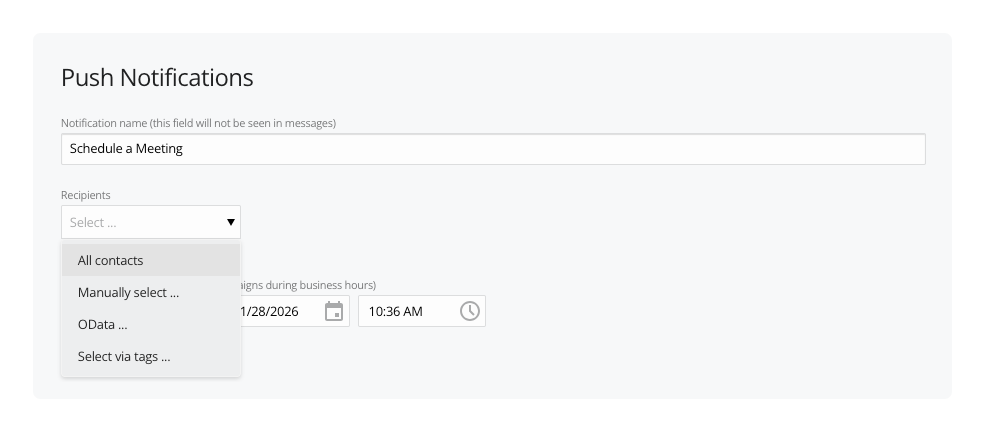
Select Recipients.
Choose who receives your push notification. Use the Recipients dropdown to select one or multiple recipients from anyone who has opted in to push notifications.
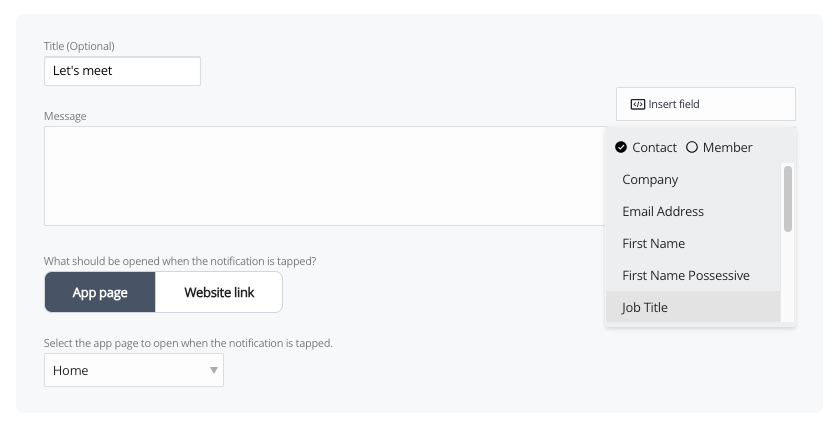
Create your message.
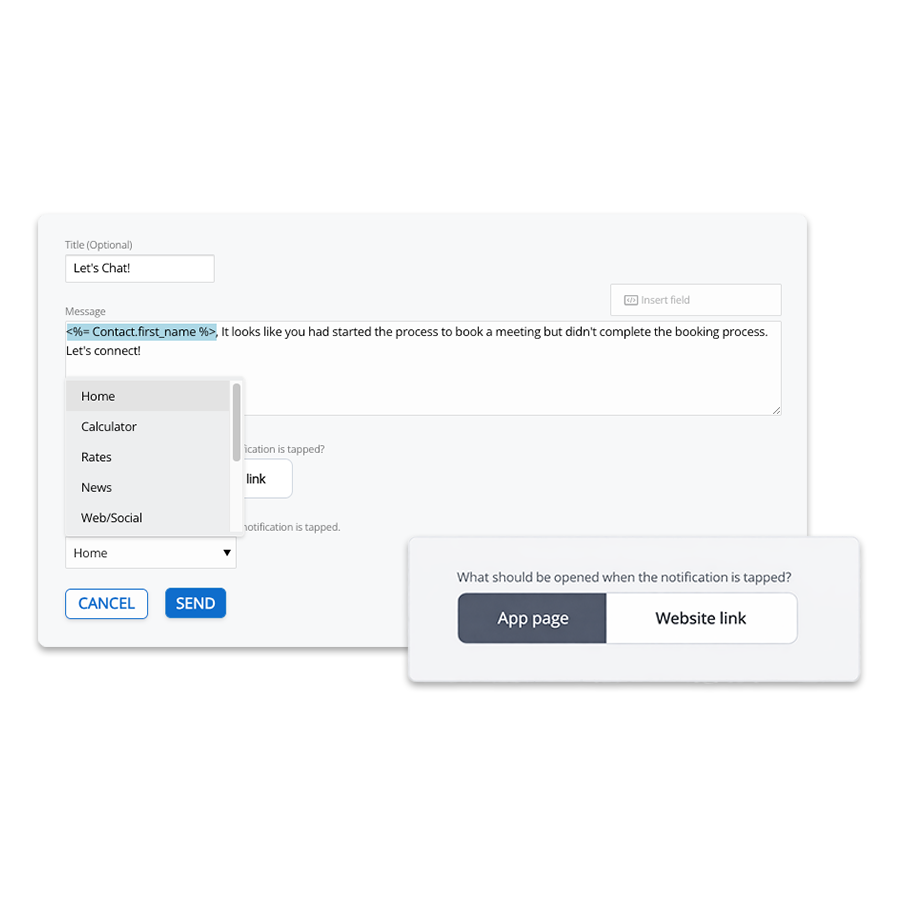
Personalize your messages with dynamic fields pulled from each lead or client, so every push notification feels tailored, even when a push notification is sent to multiple recipients.
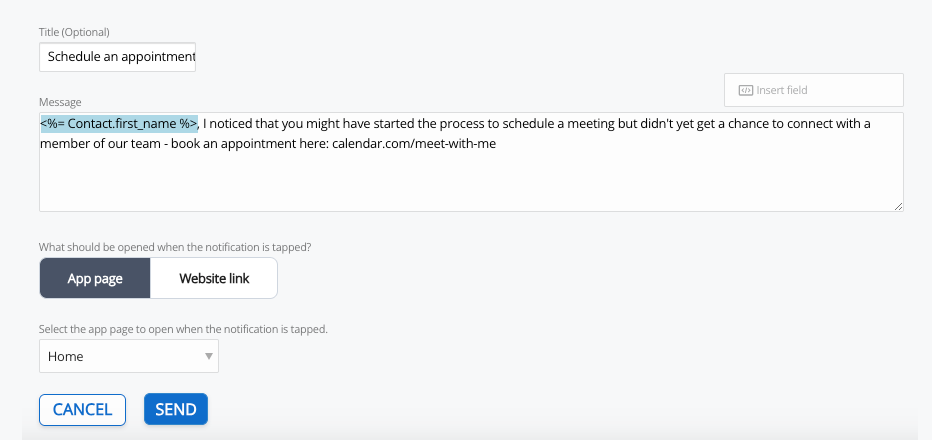
Select Destination.
Choose where recipients land when they click the push notification. Send them to a page in your digital business card or to any external website link.
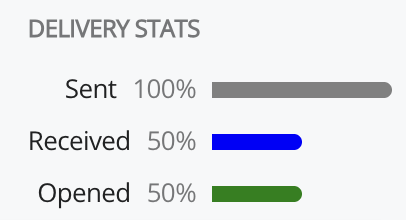
Monitor delivery and open rate.
Personalize your messages with dynamic fields pulled from each lead or client, so every push notification feels tailored, even when a push notification is sent to multiple recipients.

FAQs
When do people that just installed my app get prompted?
People who recently installed your app are not prompted on the initial load screen but rather programmatically once they have taken multiple actions on your app to reduce any scenario that could result in people leaving the app on first install.
If someone selects "Not Now" are they ineligible forever?
If someone selects “Not Now” on push notifications, they will not be prompted to Allow push notifications for 30 days.
What types of messages should I send?
Cardtapp push notifications work best for short, timely messages that prompt a clear action. Common use cases include:
- Follow up reminders to reconnect after a meeting, call, or event
- Referral prompts asking partners to introduce you to someone or send a lead your way
- Call to action alerts directing recipients to book a meeting, request a quote, or start an application
- Content notifications sharing a helpful resource like a calculator, guide, or landing page from your Cardtapp
- Event based messages announcing in-person events, webinars, or local events
Each notification should be brief and focused, with a single action such as contacting you, visiting a link, or using a tool inside your Cardtapp digital business card.